


Introduction
Your livelihood and that of your employees and customers may depend on having a business continuity plan (BCP) containing one or more Disaster Recovery Plans (DR Plans). And not just having one to comply with some ISO standard but actually being in the position to utilise it when the occasion arises. Sleepless nights for the C-Level – especially the COO / CIO – can also be avoided if the BCP becomes an integral part of a business culture. But it is also the task of the CEO and CIO not to allow everyone to become over zealous with the goals.
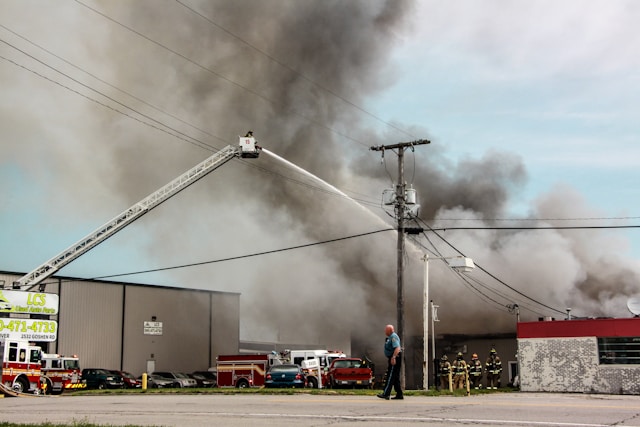
Photo by Javier Bailey on Unsplash
Within this blog I am going to talk primarily here about the aspects of a BCP as related to IT but a good BCP should also consider facilities, partners, financial dependencies etc.
BCP v. DR Plan
There are almost religious wars on the views related to the difference between BCPs and DR Plans, but within this blog I will use the names as I have found them most useful in practice. There is usually one BCP for a company with probably multiple DR Plans within. The BCP will typically contain the high level requirement gathering information which I mention below as well as how the business functions while a DR Plan is in action or until full recovery is in place.
To illustrate this more clearly, consider a specific example of a mid-sized company: the data centre where the CRM system is hosted goes down. They have a DR Plan on how to bring up initially a read-only copy of the CRM system locally in the HQ before starting another DR Plan to activate a new CRM instance in an alternative data centre. Before the new CRM instance in the alternative data centre is up and running the Call Centre utilises the BCP which explains to Call Centre Agents to arrange a call back to clients who wish to make changes to their contracts whilst being fully able to support customers only with questions.
Requirement Gathering – Cost v. Benefit
It is always important to remain realistic when coming up with a BCP and associated DR plans. It makes no sense to design a BCP which would bankrupt the very business it is intending to save. In order to do this it makes sense to analyse two aspects:
- What do you need to operate (IT systems and IT data)?
- What do you want to protect yourself against (disaster scenarios)?
IT Systems & IT Data
If possible, assign a monetary value to each system and dataset. If this is too hard, think about how much of your business’s value would be lost if a particular system or piece of data was suddenly gone. You can also use a percentage of your overall business value instead of an exact amount. This exercise doesn’t have to be perfect, but it will help you understand the value of your systems and data, which will help you decide how much to spend to protect them.
If you can’t assign a monetary value, then group your computer systems and data into categories like “absolutely critical” (e.g. customer account information) and “not that important” (e.g. the latest marketing presentation). Create as many categories as you need, but try to keep it to 2-5 unless you have lots of time.
This assignment will be important for discussions with your IT department to define Recovery Time Objective (RTO) for each system and the Recovery Point Objective (RPO) for each dataset. The RTO is how long you can be without a particular system after a problem before it starts to really hurt your business, and the RPO is how up-to-date the data needs to be when you get it back. As a guideline, in telecommunications, the RTO and RPO are often four hours, but, as cloud computing becomes more common, for “absolutely critical” system and data both RTO and RPO are slowly moving towards zero.
As a next step document where geographically this system or data is – e.g. “Data Centre A, Vienna, Austria”.
Disaster Scenarios
This step is not trivial and is often based on (bad) experience. To help get your brain juices flowing consider the story of GlobalConnect Corp shown below “In Action”.
SaaS Providers
It is important not to ignore public cloud based systems or SaaS providers in the requirement gathering phase. It is important to request and digest the BCPs from such service providers. Here you might find additional disaster scenarios and other data sets. E.g. If salesforce goes down do you have regular reports being exported of your most important data?
DR Plan Design – The Balancing Act
Once you have your RPOs, RTOs and disaster scenarios the fun starts in trying to understand how you can achieve your targets without requiring a new round of funding from your investors.
- Technical and business experts need to collaborate on fine-tuning RTOs and RPOs, considering the financial implications of future implementations.
- Leadership is necessary to balance technical requirements and financial realities.
- Example: It might be financially unviable to have two geographically remote data centres synchronising all data, but daily backups stored remotely or in the cloud, with live data synchronised to the cloud, might be required.
- The leader of the BCP phase should pay close attention to RPOs and RTOs defined as “zero” and ensure they are truly necessary, as costs increase when these values approach zero.
- C-Level executives may need to ask probing questions to challenge departments that rate their systems as essential, such as “Would the whole business stand still?” or “Would the company suffer irreparable reputational damage?”

Photo by Jordan Harrison on Unsplash
DR Plan Implementation: Methods of Planning and Organisational Considerations
Once the IT architecture has been implemented the next step would be to produce tested MOPs (methods of procedure). Here again the level of detail required in a MOP will be business specific but it is important to remember that probably the shit will be hitting the fan when it is going to be executed in real life – i.e. it makes sense to make it as precise and as self contained as possible.
Organisational considerations are also an important aspect of the DR Plan containing communication and escalation matrices with clear definitions of the roles of each organisation within the DR Plan. Despite the digital age, certain DR Plans should be available in paper form – e.g. those related to recovering your knowledge base or document management system.
Traffic Light Is Green
In organisational planning it is also important to remember that somebody(s) or some team(s) need to give the final green light that the specific DR Plan has been executed successfully. Once this has been done work can be started on trying to revert to the original / pre-Disaster setup – in “simple” cases this failback step might also be included in the DR Plan.
Decision Trees
One often forgotten important aspect of a BCP is a Decision Tree, namely who in the organisation is authorised to trigger a specific DR Plan. Sometimes this might be the technical engineer on duty and other times this might be the CEO. This can be organised at a system level, business process level or organisational structure level (although the latter is often much harder to structure). And don’t forget the delegate rules – you don’t want your business to stand still because some executive is realising his life long dream of climbing Everest and so totally unreachable.
BCP in Action
It was a quiet Tuesday morning when the IT operations team at GlobalConnect Corp noticed that the monitoring dashboard for Data Centre A had gone dark. At first, the assumption was a simple glitch in the monitoring tool—something minor that would resolve itself. But within minutes, it became clear: the data centre had experienced a complete power outage due to a failed backup generator system during a routine maintenance switchover. Because the company had considered such a scenario in their disaster recovery planning, their systems immediately began redirecting data flow to Data Centre B. Critical applications experienced only minimal latency, and a pre-scripted communication alert went out to internal stakeholders, ensuring calm and clarity.
Just a week later, another curveball arrived—this time, a severed fibre connection in the region disrupted connectivity between HQ and both data centres. Engineers traced it to an external contractor accidentally cutting through a major cable during roadworks. Thanks to prior planning, the team had implemented secondary routing via a cloud-based SD-WAN solution, which automatically rerouted HQ’s traffic through mobile networks and satellite redundancy channels. Employees were kept informed via SMS and email bulletins, and most didn’t even notice the switch—work continued, uninterrupted.
Then came the more complex situation. News broke of a novel virus with unknown transmission dynamics emerging in a neighbouring country. Within 48 hours, government advisories began urging remote work wherever possible. Fortunately, GlobalConnect had already invested in a flexible work-from-home infrastructure—staff had secure laptops, VPNs, cloud storage access, and clear protocols for digital collaboration. There was no scramble, no chaos. Leadership activated a prepared Force Majeure protocol that included a communication cascade plan, daily updates, and staff well-being check-ins. The focus wasn’t on deploying new tech—it was on coordinated communication and steady leadership.
Reflecting on these back-to-back events, the CIO remarked that resilience isn’t about preventing every disruption—it’s about being ready to adapt when one strikes. From predictable tech failures to unpredictable global crises, the company’s layered strategy allowed it to stay ahead of chaos. Whether it was engineering solutions or simply enabling people to work safely from home, their secret lay in asking the right “what ifs” before the storm hit.
The Afterlife: Practise Makes Perfect
There are two things that are guaranteed to happen in life: death and change . Here I will focus on the least morbid side of things which is change. In a business it is likely that organisational structures, people and software will change. Depending on how the BCP has been set up it might be considered necessary to execute the whole BCP for example every year or simply review certain parts and execute a subsection. This can be made easier if during the year as changes are made to IT systems a note is made of “effects DR plan: Y/N” – those marked with Y need more scrutiny.

Photo by Campaign Creators on Unsplash
Typically for critical components a DR firedrill is executed once per year – and here it is important to wrap this up with a retrospective phase where parts or the whole of the BCP are updated based on the fire drill experiences.
The most important thing here is that it is understood that neither the BCP nor a DR Plan are ever “finished” but a first release has been made.
Disclaimer: Statements expressed in this blog reflect the personal opinion of the author and do not represent the position or policy of GBPG or entities we are affiliated with. While we strive to ensure the accuracy of the information presented, we make no guarantees regarding its completeness, reliability, or accuracy.
